Tour operator software: what it should do after the booking
What tour operator software should do once the sale is made: passenger lists, the email of the day, vouchers and tickets, guides and vehicles, and their costs.
Contents
- The problem isn’t Excel, email or WhatsApp
- What tour operator software should do after the sale
- Every departure’s passengers, without opening every booking
- Each person’s day in a single email
- Vouchers and tickets on the right departure
- Guides, vehicles and tour leaders, each with their cost
- The month’s costs, ready to compare with invoices
- A structure that doesn’t depend on one person
- From the booking to the service
The booking is confirmed. From that point on, in many companies, the work gets scattered: passenger names sit in the booking system, the daily list is prepared in Excel, guides are told on WhatsApp, vouchers end up in different folders, service details go to suppliers by email and staff rates live in yet another spreadsheet.
This guide explains what tour operator software should do at this stage, the one that begins when the sale is closed, and how TourOperate does it.
The problem isn’t Excel, email or WhatsApp
Virtually every tourism company uses these tools, and they will go on being useful. The problem begins when they become the operating system of the whole business. Information about the same service ends up in different places, and every small change means checking several sources, updating documents and passing everything on again.
That is when the wrong time gets sent, a document gets forgotten or a service goes to the wrong person. And when part of the operation depends on personal files, private conversations and processes only one person knows, the company becomes more fragile. Then, at the end of the month, guide and supplier invoices are checked by rebuilding by hand what happened.
What tour operator software should do after the sale
The booking engine manages availability, sales channels and bookings. After the sale, everything else still has to be organised: passengers, guides and vehicles, tickets and vouchers, messages to staff, costs.
TourOperate is an operations tool for inbound tour operators. It works alongside Bókun and does not replace it: products, rates and bookings come from Bókun. Each time a product runs on a date and at a time it becomes a departure, and bookings link themselves to their departure, with nothing to import. From there, the work is organised around five tasks.
Every departure’s passengers, without opening every booking
Collecting passenger names takes time, especially when bookings come through different agencies, OTAs and sales channels.
The passenger details page shows the passengers of a day, departure by departure, in order of time. You choose the day and the tours you want. For each booking you see the reference, the lead customer, the phone number, the email address and the seller, then one row per passenger with the details chosen in the operational profile, such as first and last name. When a passenger hasn’t given a detail, it is marked as not provided: you find out before the day of the tour, not at the meeting point.
The Excel export gives you the day’s file, one row per passenger, ready for named tickets or access control. Instead of copying names from each booking, the team works from a list that is already prepared, with fewer chances of a transcription mistake.
Each person’s day in a single email
Preparing the day’s operation shouldn’t mean copying the same information into different messages.
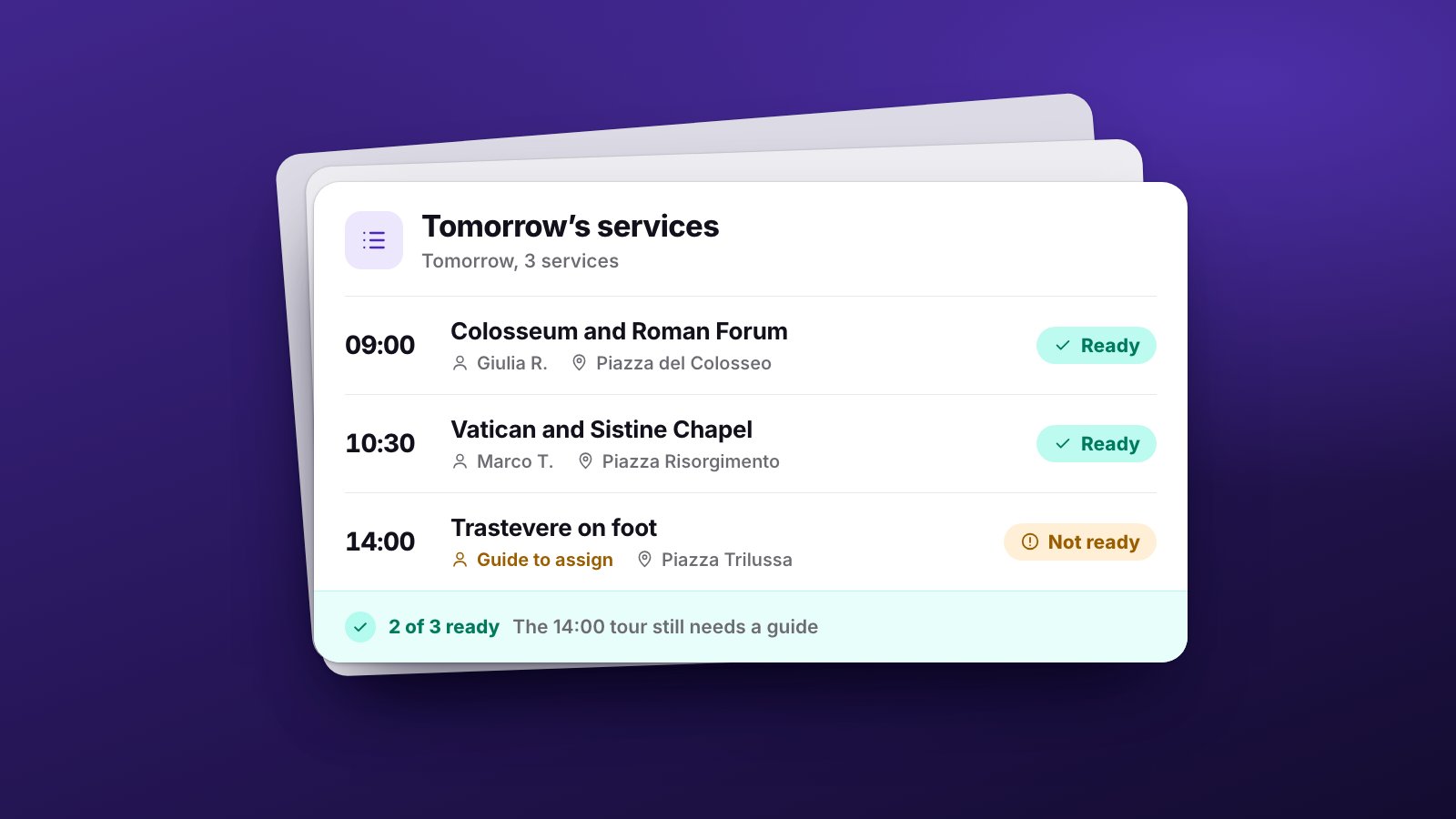
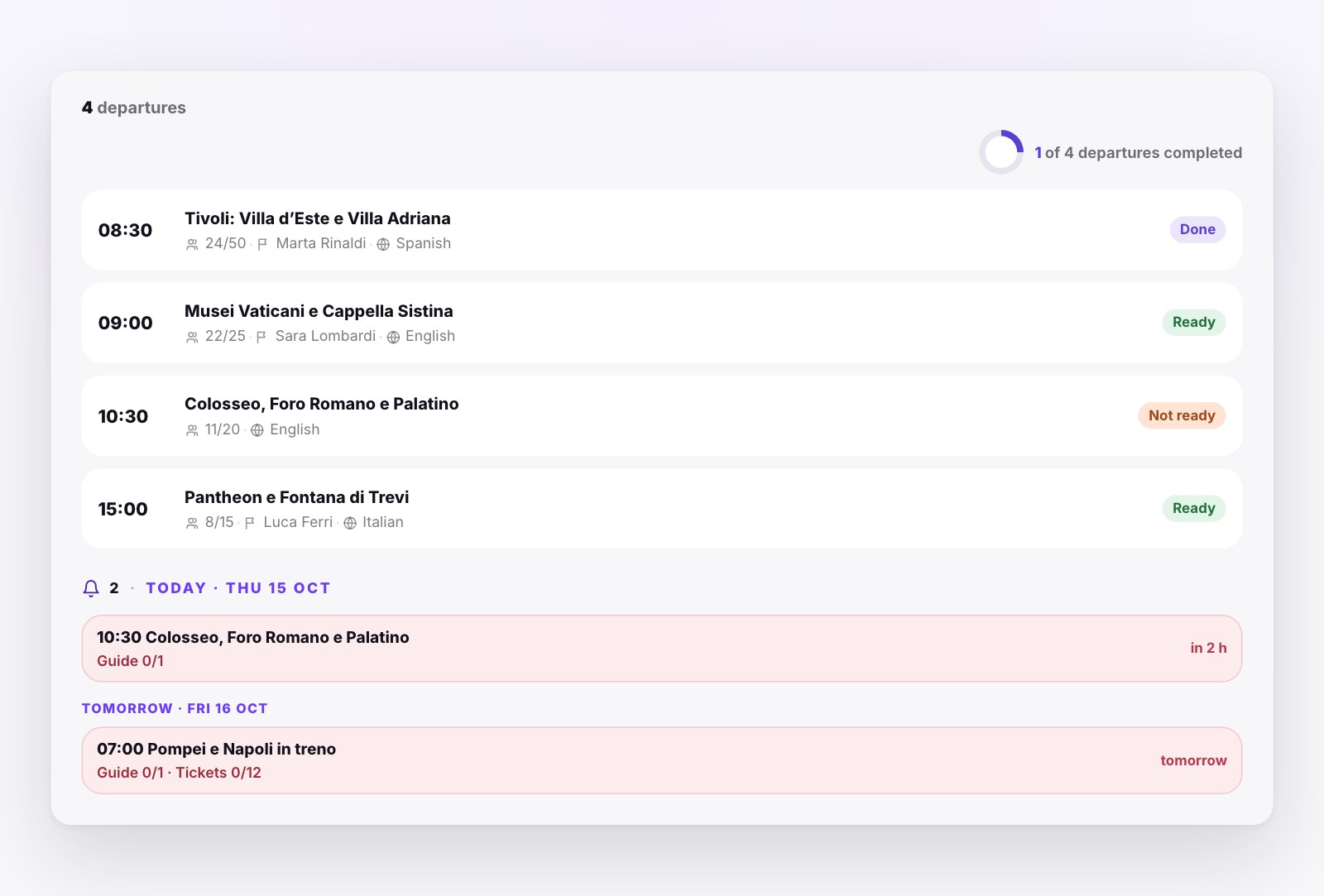
The Control Room is where the day starts. It shows the departures of a day with the time, the tour, the passengers, who is assigned and how many files are attached. Each departure stays “Not ready” while something is missing, such as a guide to assign, and turns “Ready” when nothing is missing any more. TourOperate works the status out from the data: nobody has to remember to update it.
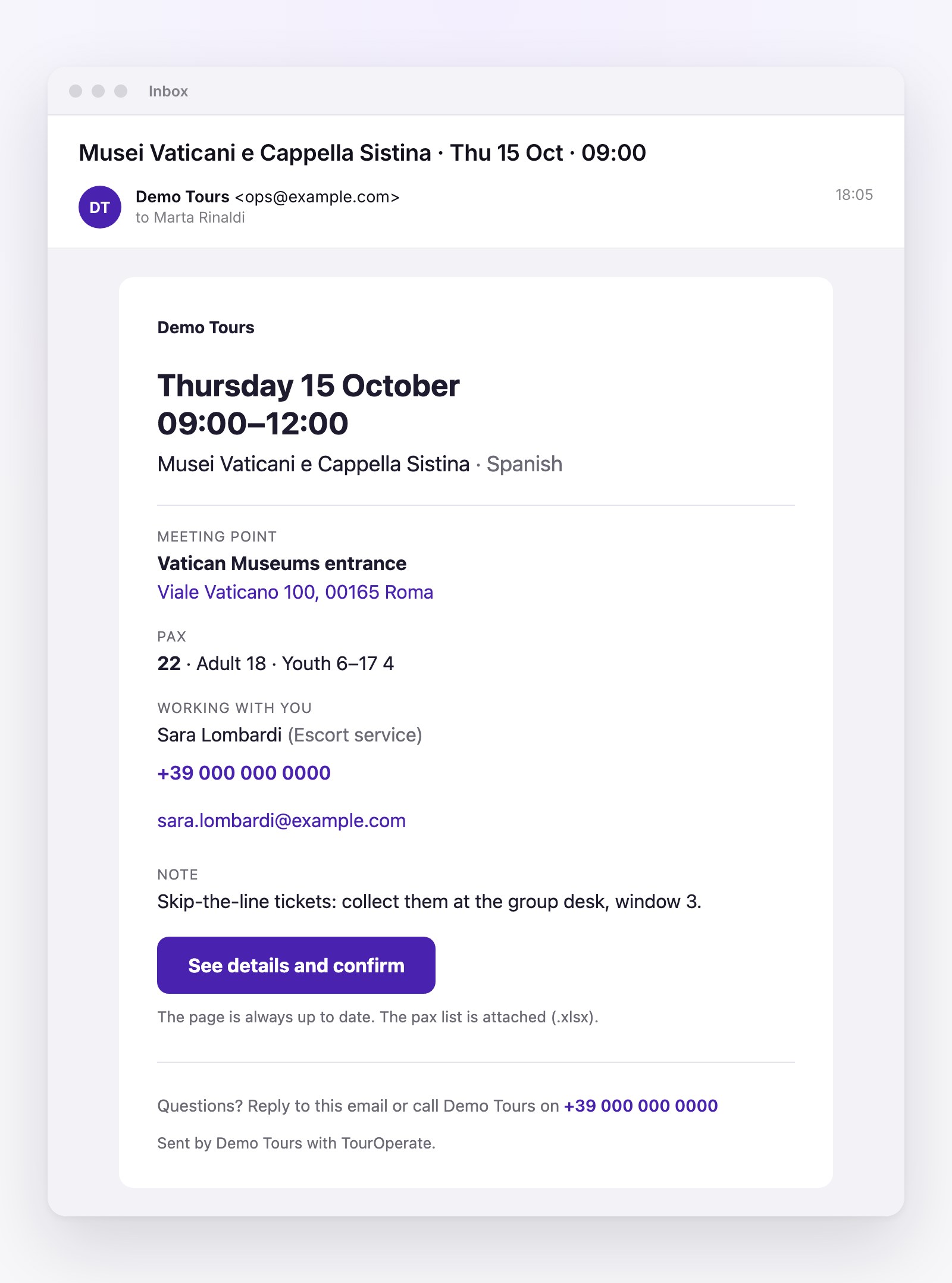
Every assigned staff member receives their daily pack: a single email with all their departures for the day, the text for their role, the files you meant for them and a link to their schedule, where they can confirm they have seen it. It also carries an Excel file with only the bookings assigned to them. The text comes from the company email template, prepared once with the meeting point, the times and the operational details, and each tour can have its own version. Before sending you see the preview, which is the actual message.
After sending you can see whether the email was sent, delivered and opened. If someone’s day changes, their email shows as out of date and you send the update. Partners, the companies that supply you with services, receive one email a day listing their services instead.
Vouchers and tickets on the right departure
With many activities, dates and times, finding the right document is harder than it looks. A file in the wrong folder, an unclear file name or a ticket linked to the wrong time is enough to cause a problem during the service.
In TourOperate you attach files to the departure on that day and at that time: vouchers, passenger lists, instructions or tickets, as a PDF or as a JPG, PNG or WEBP image. For each file you choose which staff confirmed on the departure should receive it, and the file goes out with their daily pack. The group voucher for 09:15 reaches the 09:15 guide, and nobody else.
Guides, vehicles and tour leaders, each with their cost
Organising guides, tour leaders and vehicles is about more than deciding who runs each service: you need to know who is free, who speaks the right language and what it costs.
Each departure has its requirements, for example two Spanish-speaking guides, a tour leader and a vehicle. When you assign a guide, the list shows first the guides who are free and speak the departure’s language. Those who don’t fit appear greyed out, with the reason: busy at that time, doesn’t speak a required language, doesn’t cover this location. If the built-in resource types aren’t enough, you create your own, for example a skipper for boat trips or audio guides that you count.
The cost of each assigned resource comes from the rate cards, the cost rules. A rule says who is paid (one person or, for example, all guides), for which tour (a specific one or any), how much (per departure, per passenger, per day or per group) and when (all year, in a season or on a specific date). For a special case you can set an amount on a single departure, which wins over every rule.
So when you assign someone, you also see what they cost next to their name, without reopening tables and conversations. If a rule is missing, the cost shows as not set and counts as zero until you add one.
The month’s costs, ready to compare with invoices
Checking the invoices of guides, drivers and other staff is often another manual job: which services each person ran, at which rate, whether anything changed.
The cost report shows what the resources who worked on departures cost you over a period: for each one, the number of departures and passengers, the cost, how much you have already paid and how much is still to pay. It counts only confirmed assignments and flags where a cost rule is missing. When a guide’s invoice arrives you have a summary to compare it with, and you can export it to Excel. In the payments view you keep a record of what you have paid: TourOperate pays nobody, it only records it.
The by-product view puts the net revenue from Bókun and the profit of each tour next to the costs. Knowing what the customer paid isn’t enough: to make decisions you need to know what the service really cost to run.
A structure that doesn’t depend on one person
When everyone works with their own files and methods, the operation is hard to control and even harder to grow. Hiring someone to copy information or prepare emails doesn’t always solve the problem: often it only enlarges a way of working that was already inefficient.
With passengers, departures, resources, files and costs connected in one place, information follows the same rules for the whole team. A well-run company isn’t one where somebody remembers every detail, but one where the information is connected and available when it’s needed.
From the booking to the service
Bókun remains the tool you use for bookings, availability and sales channels. TourOperate steps in afterwards, when the booking has to become a well-organised service: passengers identified, staff informed, documents in place, resources assigned and costs under control.
Your booking engine manages the booking. TourOperate handles what comes next.
To see the full flow, from the booking to the email of the day, read How it works. The benefits are set out service by service, and the Pricing page has the plans.
Organise your days with TourOperate
Try it free