Bókun and TourOperate: what happens after the booking
Bókun handles sales, availability and channels. What happens when a booking comes in, and how TourOperate turns it into an organised departure.
Contents
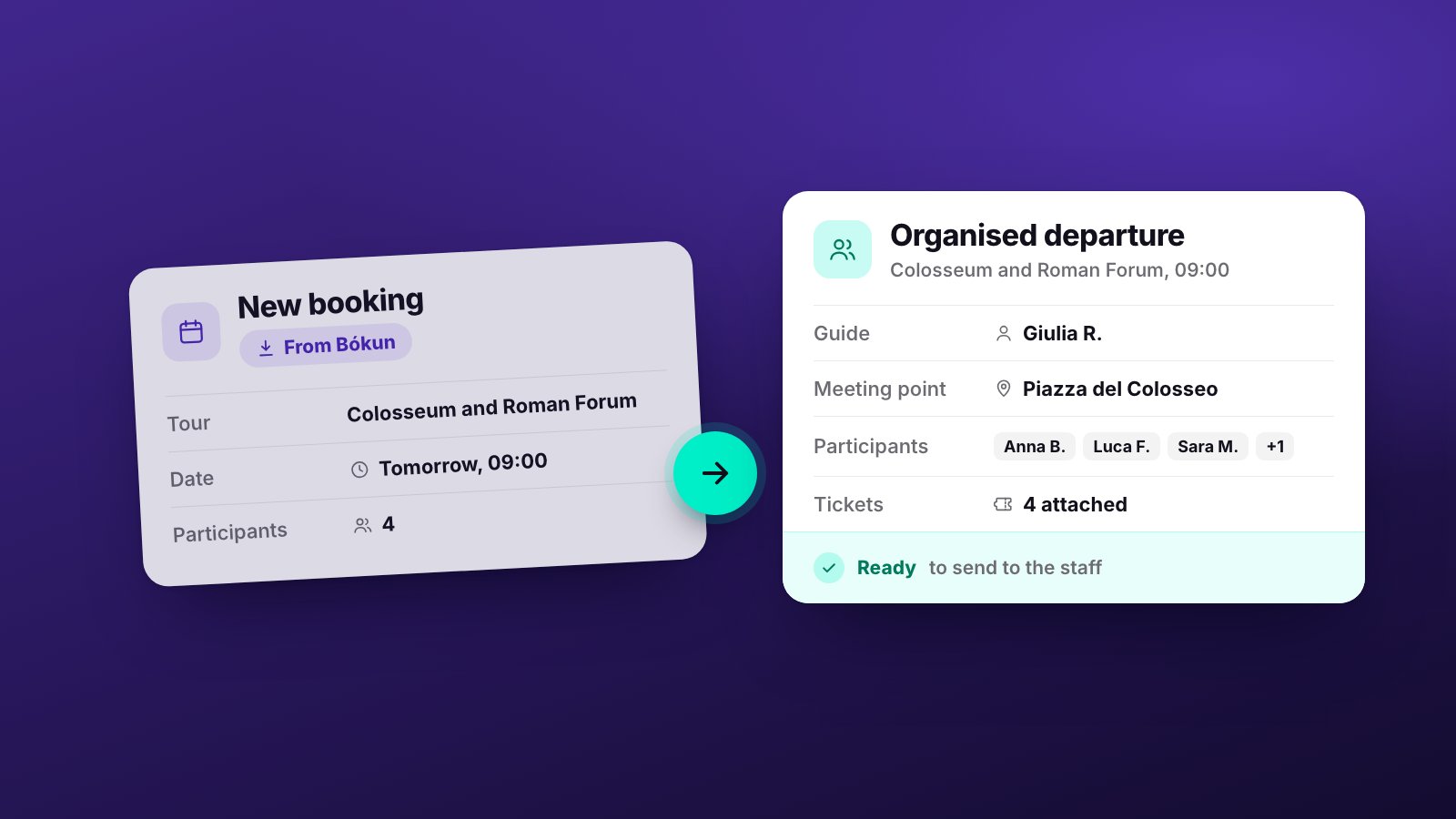
A booking comes in on Bókun at eleven at night, from an OTA. As far as the sale goes, the job is done: the seat is sold, availability is updated and the customer has their confirmation. For the tour operator, though, the work starts now: that booking has to become a group with a guide, a meeting point, the names of the participants and an email for everyone working that day.
This article explains what Bókun handles, what happens the moment a booking comes in, and how TourOperate, which connects to Bókun, organises the work that comes after the sale.
What Bókun handles
Bókun describes itself as booking management software for tour and activity providers, a complete solution for managing bookings and sales channels. On its website it sets out these functions:
- bookings and availability in one central system;
- a channel manager that syncs bookings across platforms, including Viator, GetYourGuide, Airbnb, Klook, Civitatis and Google, and automatically syncs availability across all sales channels, to prevent double bookings;
- a marketplace for selling tours and activities, connecting tour operators to more than 2,600 OTAs and resellers;
- connections with leading payment providers;
- a booking widget for the company’s own website.
In short, Bókun is where you sell: what is available, on which channels, and who has booked.
The moment a booking comes in
When the booking comes in, the sale is closed and a different kind of question begins. Which guide takes this group? Do they speak the right language? Does the 10:30 group have all the names for the tickets yet? Who tells the driver, and what do they need to know?
These are operational questions, and in many companies the answers are put together by hand: a list in Excel, WhatsApp messages to the guides, emails to suppliers. We described this work, task by task, in our guide to tour operator software. Here we look at one specific point: how the data that comes from Bókun becomes the basis of that work, without copying it out again.
From Bókun to TourOperate: products, departures and bookings
TourOperate connects to your Bókun account. An administrator of the company makes the connection with the guided setup: they enter the subdomain of their Bókun account and, in Bókun, approve the connection with TourOperate, read-only. From there, the import from Bókun carries on automatically.
Products and rates. The product is what you sell on Bókun, for example the Colosseum, Roman Forum and Palatine tour. Products and rates come from Bókun: you don’t create or edit them in TourOperate. On the products page you give each product an operational profile, which says how the service runs on the ground: the language, the meeting point, the resources it needs and which passenger details to collect.
Departures. Each time a product runs on a date and at a time, it becomes a departure: for example the Colosseum on Thursday at 10:30. TourOperate creates departures from your availability on Bókun.
Bookings. Bookings that come from Bókun link themselves to their departure. There is nothing to import.
So when a new booking comes in, there is nothing to copy out: the booking appears in the departure for its day and time, and the status of the departure updates by itself.
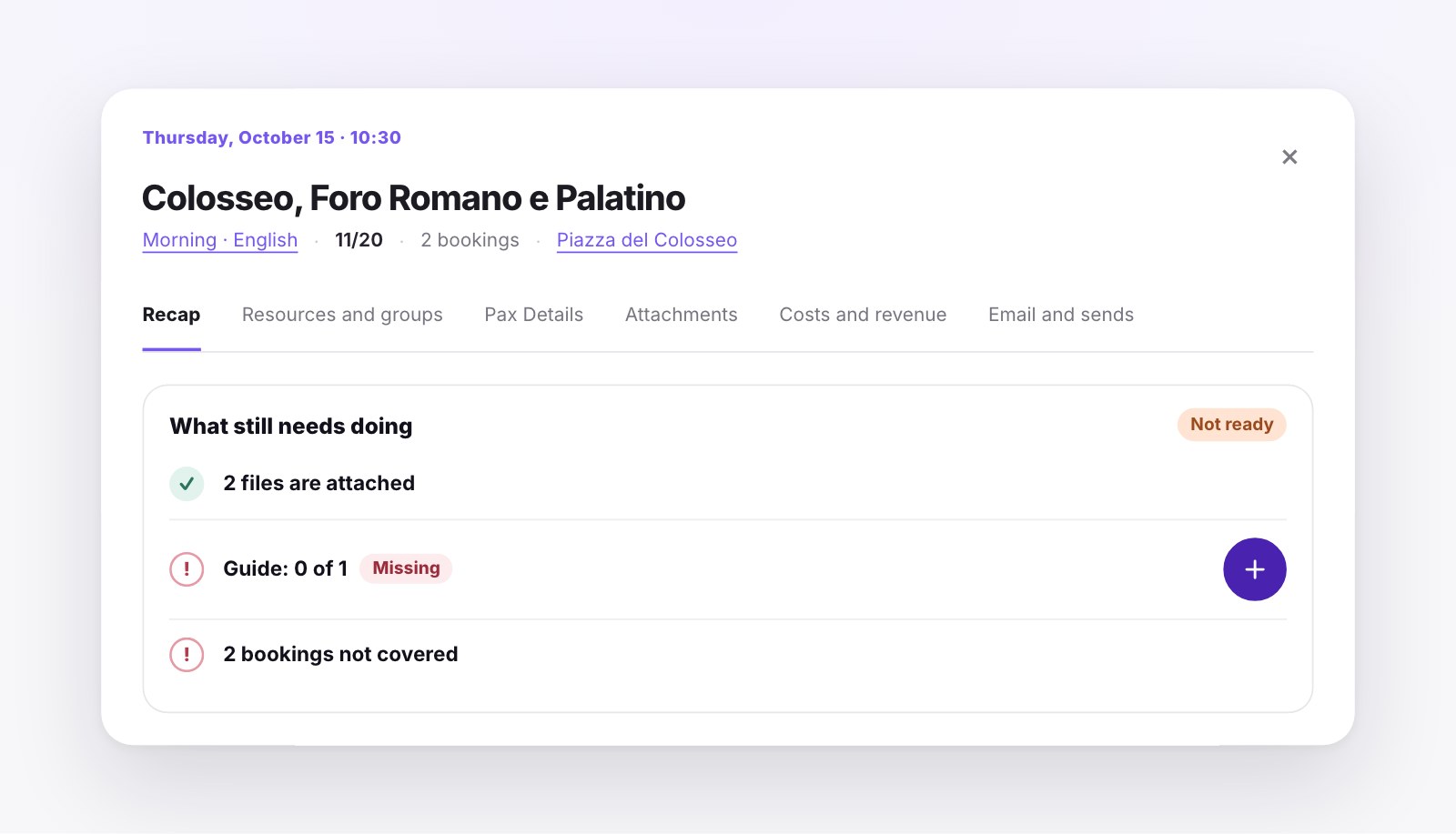
Clicking a departure opens its window. Under What still needs doing you see what is in place and what is missing, such as a guide to assign or bookings not yet covered, and each item has its own button. A departure is Ready when its profile is confirmed, every required resource is assigned and every booking is covered. Nobody has to mark it by hand: TourOperate works it out from the data.
Passengers, contacts and Bókun permissions
The passenger data collected by Bókun comes in with the bookings. You see it in two places: on the passenger details page, for the whole day, and in the window of each departure. For each booking you find the reference, the lead customer, the phone number, the email address and the seller, then one row per passenger with the fields chosen in the operational profile.
Customers’ phone numbers and email addresses are a special case: to read them, TourOperate needs Bókun’s permission. If not every permission was approved when the connection was made, a notice appears at the top of TourOperate’s pages: the connection to Bókun still works, but the booking contacts cannot be read. In that case phone numbers and email addresses are missing from the passenger details page, the departure window, the passenger Excel files and the partners’ daily list. The fix is to approve every permission.
Bókun to sell, TourOperate to operate
The division is simple. Bókun remains the system where you manage bookings, availability and sales channels. TourOperate does not replace it and does not sell in its place: it receives products, rates, availability and bookings from Bókun, and on that basis you organise the work on the ground.
An example. The Colosseum on Thursday at 10:30 has two bookings. On Bókun they are two sales. In TourOperate they are one departure with 11 passengers out of 20 places, a meeting point, a guide still to assign and two bookings to cover. When you assign the guide, the list shows first who is free and speaks the language of the departure. When nothing is missing any more, the departure becomes Ready and the guide can receive their daily pack: a single email with all their departures for the day.
Bókun handles the sale. TourOperate handles what comes next. To see the full flow, from the booking to the email of the day, read How it works.
Sources
- Bókun, Bókun: Booking Management Software for Tour & Activity Providers, accessed 23 October 2026.
Organise your days with TourOperate
Try it free