GetYourGuide supplier guide: how to improve your activity’s ranking
Are you a GetYourGuide supplier? The factors GetYourGuide uses to rank activities, why recent reviews and availability matter, and what happens after the sale.
Contents
Two similar experiences in the same city: one shows up among the first results and gets bookings every day, the other stays at the bottom. Often the difference lies not only in the tour itself, but in how it is presented, kept available and run after the sale.
If you are a GetYourGuide supplier, an operator selling experiences on GetYourGuide (many also say “GetYourGuide partner”), you don’t have to guess how ranking works: GetYourGuide publishes the factors it uses. We did the same work for Viator in our article on what Viator’s algorithm looks at. Here we look at GetYourGuide’s rules, in four areas: the listing, reviews, availability and the work after the booking.
How GetYourGuide ranks activities: what a GetYourGuide supplier should know
On its destination pages, GetYourGuide puts it like this:
“Activities are ranked by popularity, customer ratings, performance, availability, diversity, and revenue (including supplier commissions). Suppliers can increase commissions as part of their marketing investment, but rankings are algorithmic with no guaranteed positions. New activities start with initial assessment rankings.”
In its help centre for suppliers, GetYourGuide explains that the algorithm takes into account traveller preferences, market behaviour and your activity’s performance, and that the weight of each may vary. It measures performance in revenue and conversion rate, meaning bookings relative to page views.
So commission counts, but by GetYourGuide’s own account it doesn’t guarantee a position. The rest depends on four areas where you have more control.
1. The listing: getting chosen by the people who open it
If conversion is measured against page views, every visit that doesn’t turn into a booking counts against you. GetYourGuide names three levers: enticing descriptions, eye-catching images and transparent pricing.
A few good practices for the listing:
- a clear title, with the type of experience and the main attraction;
- real, well-lit photos that show what the customer will experience;
- a direct description: what’s included, what to bring, exactly where the meeting point is.
Anyone who opens the listing should understand within seconds what they are booking and why they should choose you.
In a guest post published on GetYourGuide’s site for suppliers, a distribution expert adds two tips: consolidate similar products into one listing with several options, so reviews are concentrated and there are more bookable dates; and prefer promotional discounts to lowering the retail price.
2. Reviews: the recent ones count more
Customer ratings are among the stated factors, and GetYourGuide adds one detail: recent reviews count more toward the overall activity rating.
A reputation built over years won’t shield you from a bad week: a late guide or a meeting point nobody could find soon shows in the score.
The same guest post recommends responding to negative reviews. As a general rule it’s worth replying to the positive ones too: readers see that you listen to your customers.
3. Availability: a year ahead and up to the last minute
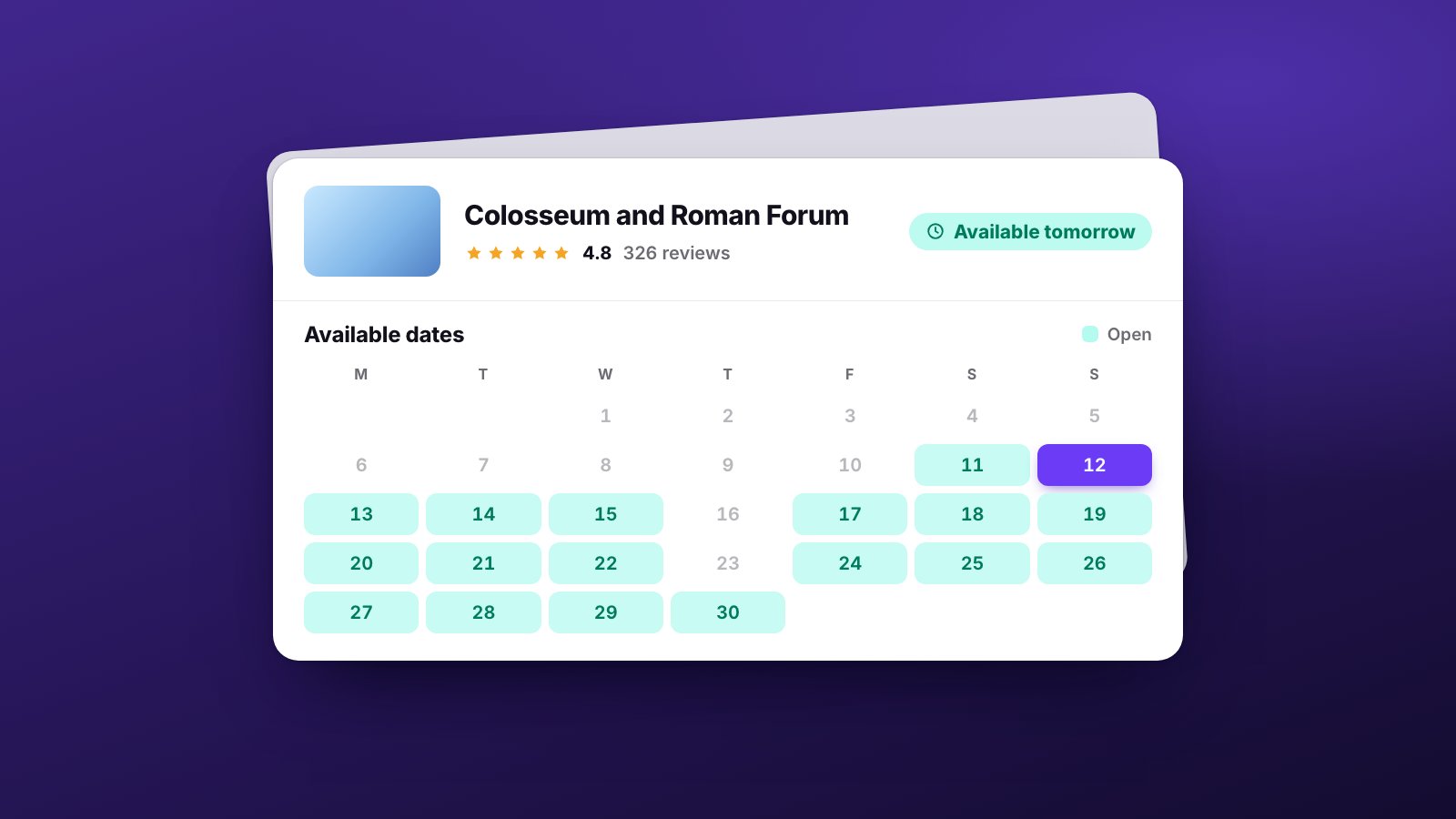
On availability, GetYourGuide gives two precise guidelines:
- long term, your activity should be bookable at least a year in advance;
- last minute, it should ideally be bookable up until the start time.
A calendar open for only a few weeks, or closed the day before, gives up part of the bookings. And dates and times need to be kept up to date.
The second guideline has an operational consequence, though. If you accept bookings up to the last minute, one can arrive that same morning, when the guide already has their schedule and the group is already organised.
4. After the booking: where the next review is decided
The review comes after the service, not after the sale. More bookings, last-minute ones included, mean more passengers, guides, vehicles, tickets and times to fit together.
TourOperate doesn’t change your GetYourGuide listing, doesn’t manage your availability and doesn’t reply to reviews. It works on what comes next: if your bookings go through Bókun, they link themselves to their departure in TourOperate.
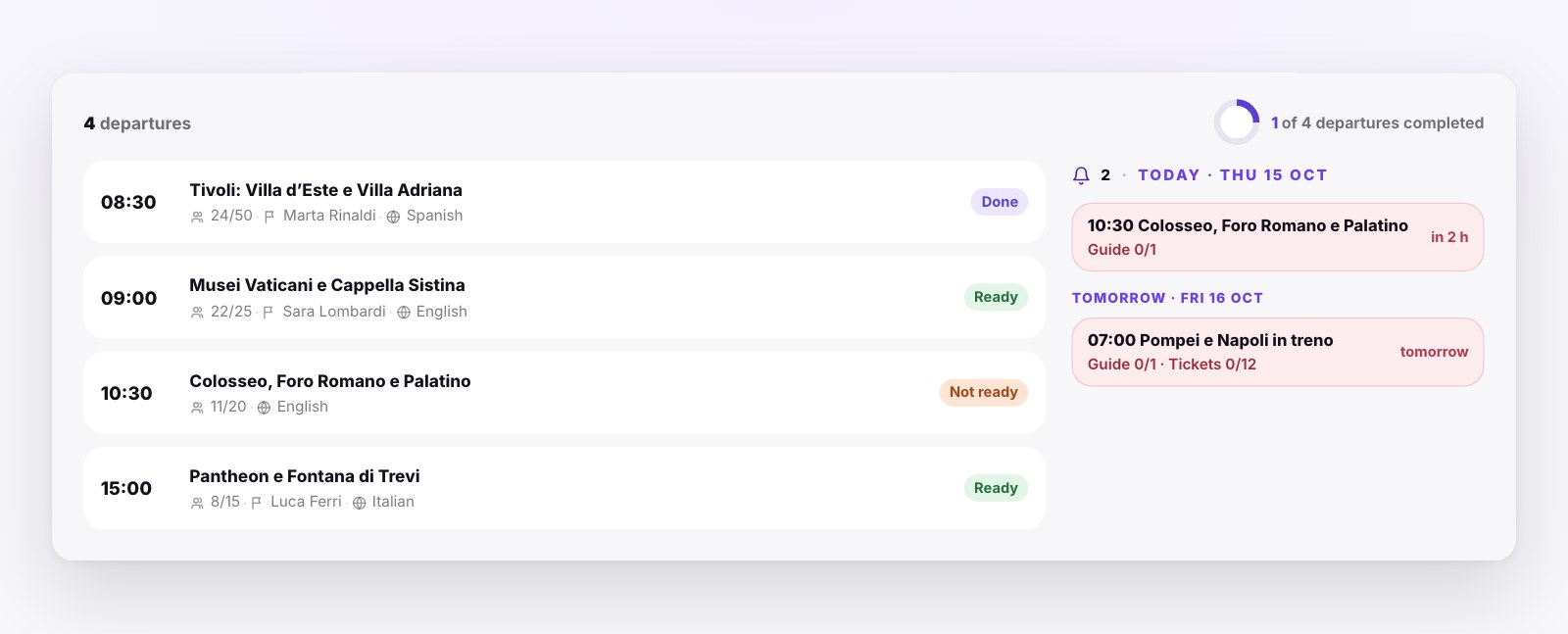
- Every departure has a status. In the Control Room a departure is “Ready” when nothing is missing: profile confirmed, resources assigned, bookings covered. Otherwise it is “Not ready”. TourOperate works this out from the data: if a new booking comes in, the departure goes back to “Not ready” on its own.
- What’s missing, in time. The alerts panel collects today’s and tomorrow’s departures that still have something to do, such as a missing guide or bookings that aren’t covered. The card turns red if the departure starts within an hour.
- The right guide. When you assign a guide, TourOperate suggests the ones available on that day and at that time who meet the service’s requirements, such as the language.
- The day, kept up to date. If a staff member’s day changes after you’ve sent them their email, the email shows as out of date and you send the update.
The idea is simple: see what’s missing before it turns into a cancellation or a bad review. The work after the sale is described task by task in our guide to tour operator software. To see the full flow, from the booking to the email of the day, read How it works.
Sources
- GetYourGuide, How ranking works on GetYourGuide, Supply Partner Help Center, updated 8 April 2026, accessed 23 October 2026.
- GetYourGuide, ranking note on its destination pages, for example Rome, accessed 23 October 2026.
- Guest post by a distribution expert on GetYourGuide’s Growth Hub for suppliers, 27 January 2025, accessed 23 October 2026.
Organise your days with TourOperate
Try it free