Operations software in tourism: mistakes start before the tour
A great tour can end in a bad review because of a mistake made before it starts. What operations software does about it, and what stays with team and guide.
Contents
Every operations manager knows this: even a great experience can end in a bad review because of a mistake made before the service even began. That is why operations software matters in tourism as much as the product you sell: it doesn’t make the tour any better, but it protects the work that went into building it.
Four mistakes that start before the tour
- An unclear meeting point.
- An entry ticket valid for a different time slot.
- A schedule change that was never communicated.
- A supplier that didn’t receive the right information.
In these situations the problem is rarely the product or the guide’s work. It comes from the planning before the service, especially when every tour is organised across a spreadsheet, several emails and a WhatsApp group. That is where operations software makes a difference: not because it does the team’s work, but because it keeps each service’s information in one place.
What operations software does about each mistake
In TourOperate, each tour running on a given day at a given time is a departure, with its guide, its vehicles, its files and its passengers, and the bookings that come from Bókun link themselves to the right one. Here is what changes for each of the four mistakes.
The meeting point
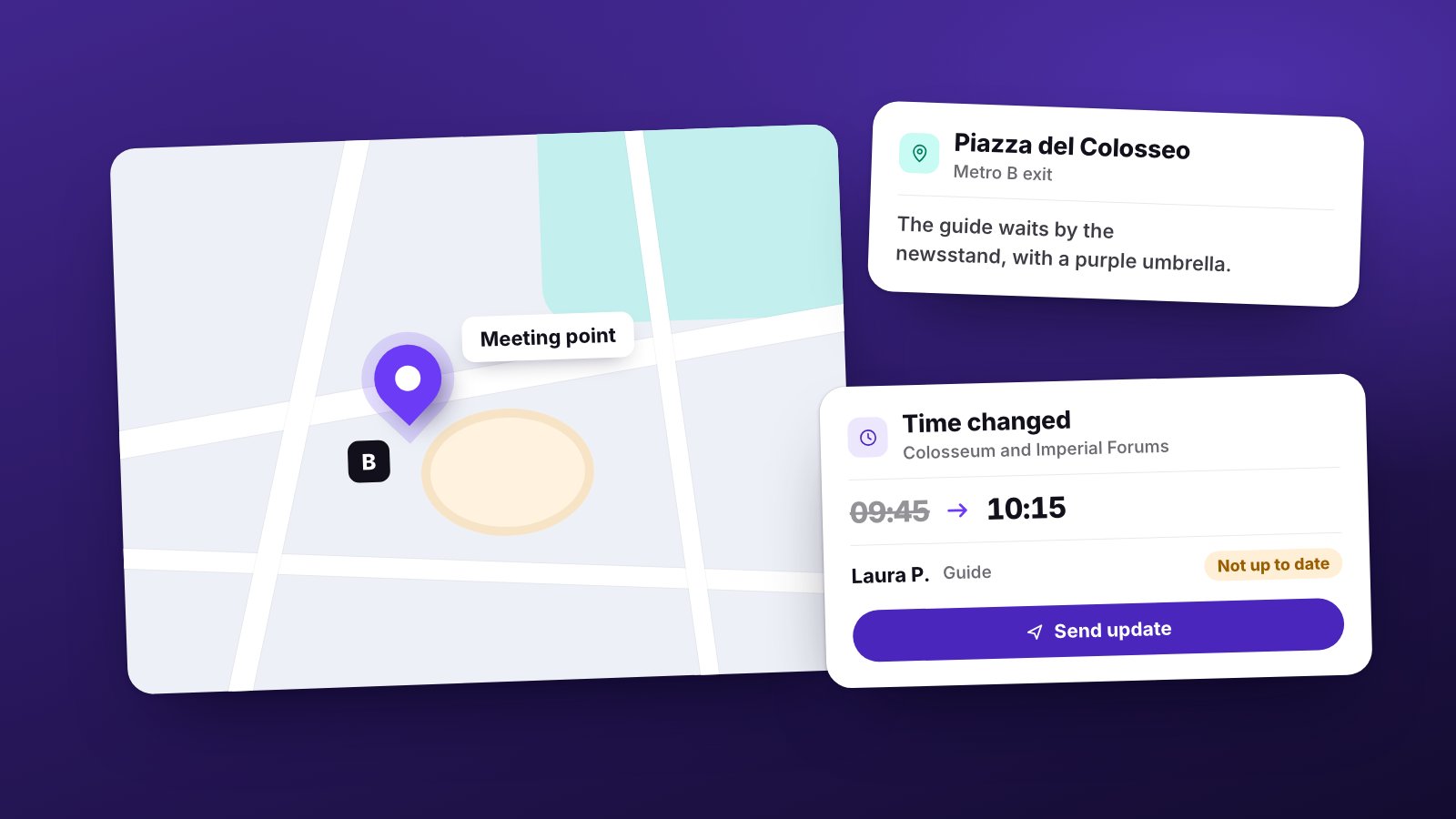
The meeting point is chosen once, in the tour’s operational profile, with directions for passengers, such as “Piazza del Colosseo, Metro B exit”. It applies to every tour that uses it, and the template of the day’s email takes it to guides and drivers along with the times. If the address changes, you correct it once, on the meeting points page or in Bókun if the point comes from there, instead of in ten different messages.
The ticket for the wrong time
Vouchers and tickets are attached to the departure on that day at that time, not to a general folder. For each file you choose which staff members should receive it, and the file goes out with their email of the day. So the guide of the 10:15 group doesn’t end up holding a ticket for another time.
The change nobody heard about
After sending, if a staff member’s day changes, their email shows as not up to date: you see it, check the preview and send the update. To a partner, the company that supplies your vehicles or guides, you send their list of services again yourself.
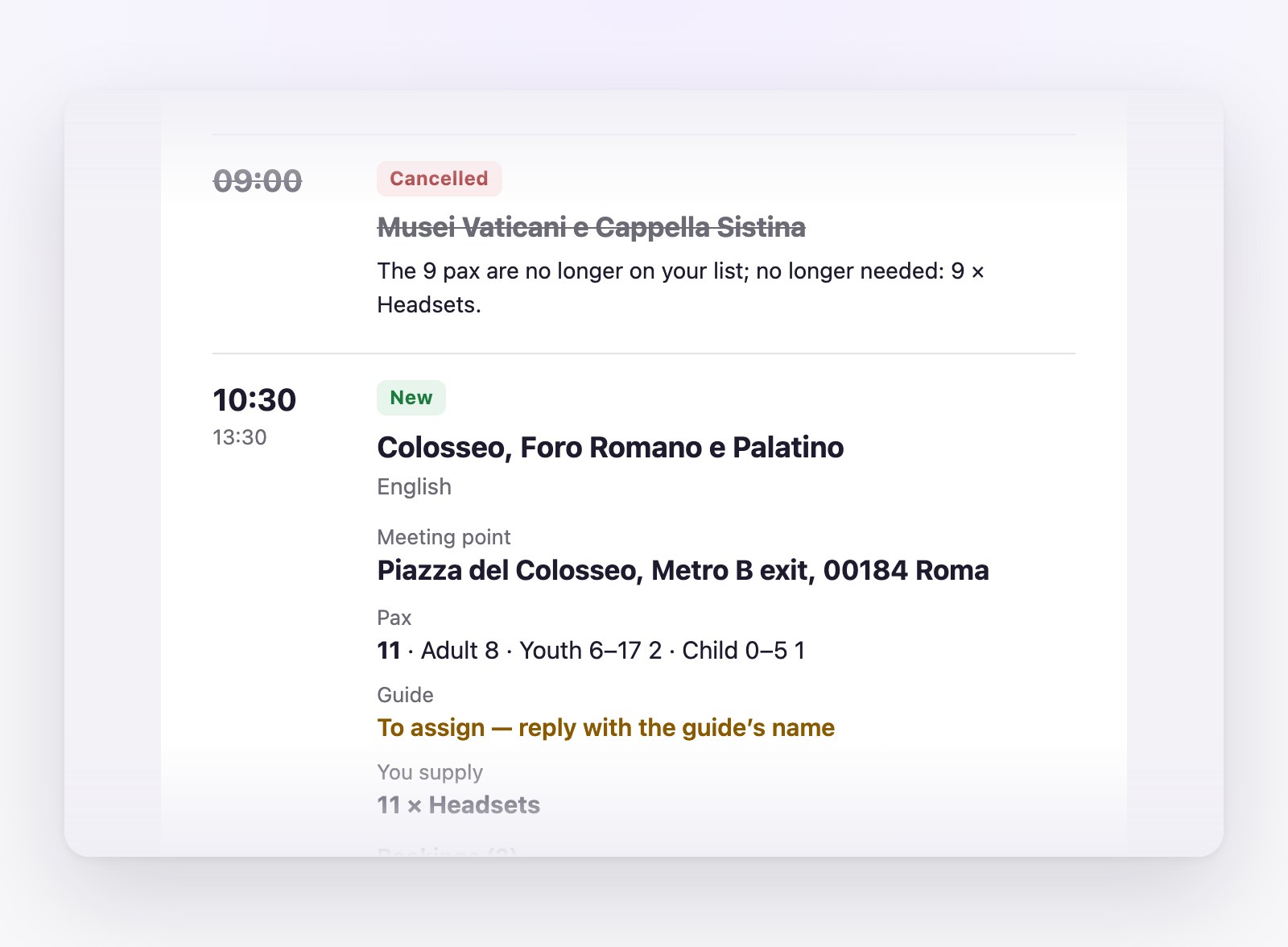
There is one case where software is not enough. If you take a staff member off a departure, or cancel the departure, after their email went out, TourOperate reminds you in the list of things to do, but it doesn’t send the notice for you: that phone call is yours.
The supplier without the right information
Partners receive a single email a day listing all their services, with each passenger’s name and the contact details of the customer who booked, plus a note from you when needed. If a departure still lacks a guide or a vehicle, it stays “Not ready” and appears among the alerts for today and tomorrow. And if a guide can’t make it, you replace them in one step: their bookings move to the person taking over, and you send that person their email of the day.
Software doesn’t replace the guide
This is operational quality: making sure the customer finds their guide at the agreed place and time, with the right ticket. Software doesn’t replace the guide or the team’s judgement. It takes care of the tasks behind most mistakes: copying, pasting, remembering and passing things on.
The rest, from reading the group to solving a problem on the spot, stays with people. We looked at where the team’s time goes after a booking in Save time running tours, and at every task operations software handles after the sale in our guide to tour operator software.
Organise your days with TourOperate
Try it free